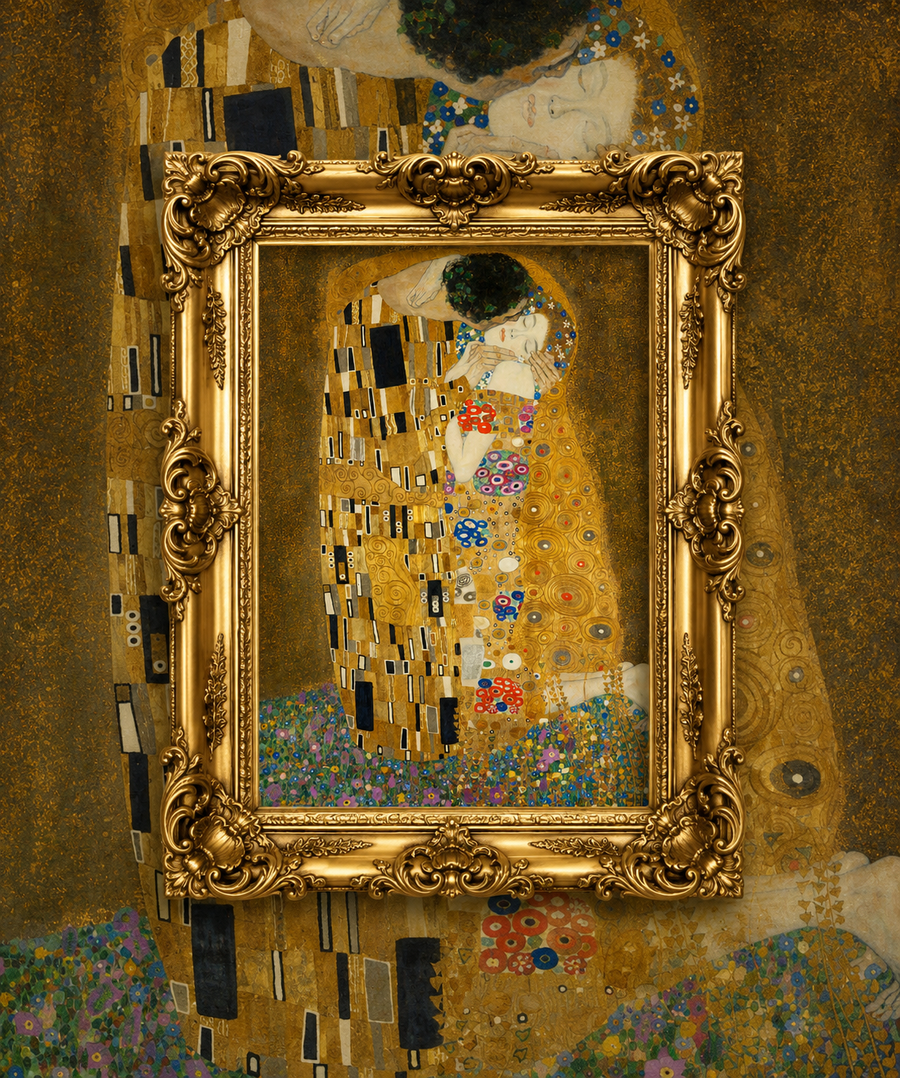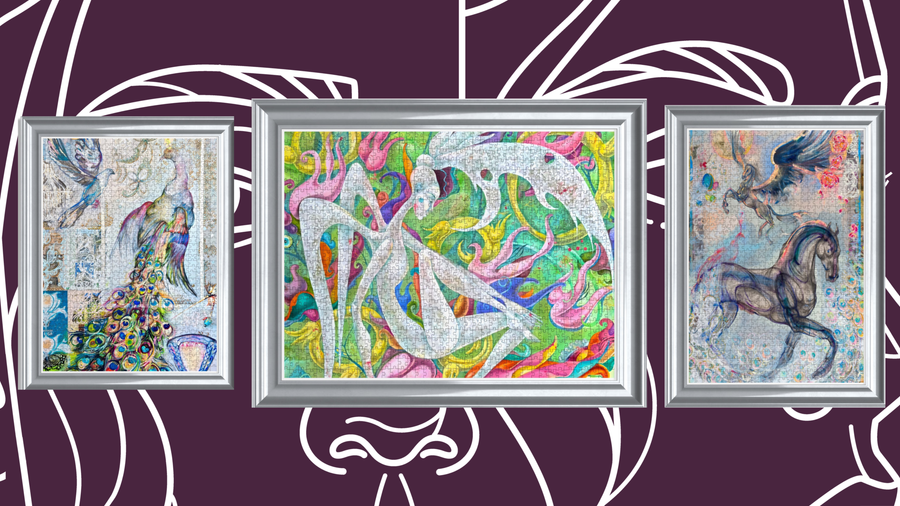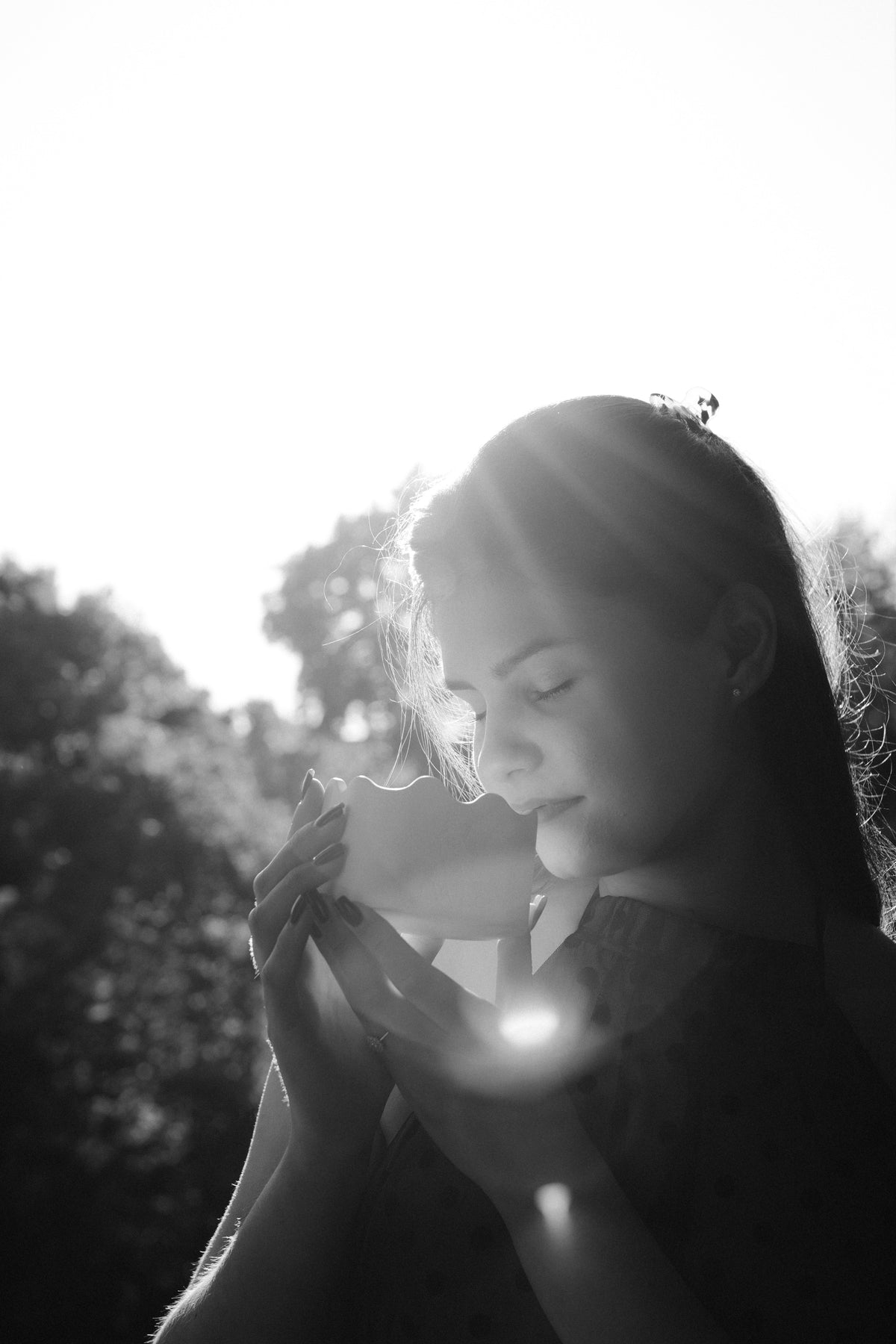
يبدو تحويل صورة إلى بازل أمرًا بسيطًا: تختار صورة، وترفعها، ثم تنتظر النتيجة النهائية. لكن في الواقع، ليست الصور التي نحبها أكثر من سواها هي دائمًا الصور التي تصنع أجمل البازلات.
يحتاج البازل المخصص من صورتك إلى أن ينجح على ثلاثة مستويات مختلفة. فينبغي أن تُعرَف الصورة فورًا حين يفتح أحدهم الهدية، وأن تكون إعادة تركيبها قطعةً قطعة تجربة ممتعة، وأن تكون جميلة بما يكفي لتُحفَظ بعد وضع القطعة الأخيرة.
في استوديو DAILE، نراجع قبل الإنتاج دقة كل صورة تصلنا وتكوينها وإضاءتها واتجاهها وتفاصيلها المهمة. ويشاركك هذا الدليل المبادئ نفسها التي نعتمدها حين نقرر ما إذا كانت صورة ما قادرة على أن تصبح بازلًا متميزًا يستحق التأطير.
ما الذي يجعل صورة البازل ناجحة؟
عادةً ما تتميز أفضل صورة لبازل مخصص بما يلي:
- موضوع رئيسي واضح
- إضاءة طبيعية جيدة
- تفاصيل ظاهرة في المناطق الساطعة والداكنة على حد سواء
- عدة ألوان أو ملامس مميزة
- وجوه مهمة بعيدة عن الحواف الخارجية
- اتجاه يلائم البازل النهائي
- دقة كافية لتبقى الصورة واضحة بحجم أكبر
- تكوين يسعدك أن تعرضه على جدار
لا يُشترط أن تكون الصورة ملتقطة باحترافية. فصورة الهاتف ذات المعنى يمكن أن تنجح نجاحًا جميلًا حين يكون الموضوع واضحًا والإضاءة متوازنة والملف الأصلي متاحًا.
جرّب اختبار DAILE للبازل في خمس ثوانٍ
قبل رفع أي صورة، تأمّلها خمس ثوانٍ وأجب عن هذه الأسئلة:
- هل تستطيع أن تتعرف فورًا على أهم شخص أو حيوان أليف أو مكان في الصورة؟
- هل تقع الوجوه والتفاصيل الرئيسية داخل الصورة بمسافة مريحة بدلًا من أن تلامس الحواف؟
- هل ترى ثلاث مناطق بصرية مختلفة على الأقل، كشخص وخلفية وغرض ذي ملمس مميز؟
- هل تبقى الصورة واضحة عند عرضها بملء الشاشة؟
- هل سيسعدك أن ترى الصورة المكتملة في بيتك؟
إذا كانت إجابتك «نعم» عن معظم هذه الأسئلة، فالأرجح أن الصورة ستصنع بازلًا مخصصًا متميزًا.
1. ابدأ بملف الصورة الأصلي
استخدم دائمًا أعلى نسخة جودةً متاحة من الصورة.
ارفع الملف الأصلي من الهاتف أو الكاميرا أو مكتبة التخزين السحابي كلما أمكن. وتجنّب استخدام لقطة شاشة أو صورة مصغّرة أو صورة نُزّلت وأُعيد إرسالها مرارًا.
قد تبدو الصورة حادة على شاشة هاتف صغيرة بينما لا تحتوي إلا على قدر من المعلومات أقل مما يلزم لبازل كبير مكتمل. وكلما كبرت الطباعة النهائية، ازدادت الضبابية وآثار الضغط والتبكسل وضوحًا.
قبل الرفع، افتح الصورة بحجمها الكامل وتفحّص العينين وملامح الوجه والشعر وملامس الملابس والأغراض الصغيرة وتفاصيل الخلفية والظلال الداكنة. فإذا بدت هذه المناطق غير واضحة من الأساس، فلن يستطيع البازل المكتمل استعادة تفاصيل غائبة عن الملف.
2. اختر صورة ذات مرتكز بصري واضح
لكل صورة لا تُنسى نقطة تقع عليها العين أولًا على نحو طبيعي. قد تكون وجهًا، أو يدين، أو حيوانًا أليفًا، أو باقة زفاف، أو بيتًا، أو منظرًا طبيعيًا مألوفًا.
ولهذا المرتكز البصري أهمية خاصة في البازل المخصص. فهو يمنح متلقي الهدية نقطة مرجعية عاطفية حين يرى الصورة لأول مرة، ومنطقة ممتعة يكتشفها أثناء التركيب.
من الأمثلة القوية:
- زوجان يظهران بوضوح أمام خلفية أهدأ
- حيوان أليف بعينين ظاهرتين وفرو مميز
- عائلة مجتمعة على مقربة بعضها من بعض
- بيت تحيط به الأشجار أو السماء أو تفاصيل الحديقة
- صورة سفر فيها مبنى أو أفق يسهل التعرف عليه
- لحظة عفوية بموضوع عاطفي واحد جليّ
كن حذرًا مع الصور التي تتساوى فيها العناصر كلها في أهميتها البصرية. فالصورة المزدحمة قد تبدو مربكة، سواء بوصفها تكوينًا أو بوصفها بازلًا.
3. فكّر كمن يركّب البازل، لا كمصوّر فحسب
الصورة الجميلة والبازل الممتع أمران مترابطان، لكنهما ليسا الشيء نفسه تمامًا.
يعتمد هواة البازل على التغيرات في اللون والملمس والاتجاه والتفاصيل. فهذه الإشارات البصرية تساعدهم على معرفة المكان الذي تنتمي إليه كل قطعة.
تصبح الصورة أكثر جاذبية حين تضم عدة مناطق يمكن تمييزها. فالسماء الزرقاء، والأشجار الخضراء، والفستان المزخرف، ودرجات البشرة الدافئة، والجدار ذو الملمس البارز، وباقة الزهور الزاهية، يصنع كلٌّ منها جزءًا مختلفًا من تجربة التركيب.
قد تجعل المساحات الكبيرة ذات اللون المتطابق تقريبًا البازلَ أصعب بكثير. فالسماء الواسعة الخالية، أو الجدار الداكن، أو الخلفية غير الواضحة قد تبدو أنيقة في الصورة الفوتوغرافية، لكن مئات القطع المتشابهة قد تتحول إلى مصدر للإحباط.
لا يعني ذلك أن عليك تجنّب الصور البسيطة. قرّر فقط ما إذا كان متلقي الهدية سيستمتع بالتحدي الإضافي.
4. اجعل الاتجاه ملائمًا للصورة
لا تُقحم صورة عمودية في قالب أفقي، ولا صورة أفقية في قالب عمودي، إلا إذا توافرت حول الموضوع مساحة كافية لقصّ مريح.
اختر الاتجاه العمودي حين تركّز الصورة على شخص واحد، أو زوجين واقفين، أو صورة شخصية لحيوان أليف، أو صورة زفاف بكامل القامة، أو مبنى شاهق، أو مشهد داخلي ضيق.
واختر الاتجاه الأفقي لصور العائلات، وجموع حفلات الزفاف، والمناظر الطبيعية، وصور السفر الواسعة، والأزواج المصوَّرين جنبًا إلى جنب، أو الحيوانات الأليفة الظاهرة في محيط أرحب.
ومن القواعد المفيدة أن تتبع الاتجاه الطبيعي للتكوين الأصلي. فالاتجاه الصحيح ينبغي أن يحفظ القصة، لا أن يملأ المستطيل المتاح فحسب.
5. أبعِد الوجوه والتفاصيل ذات المعنى عن الحواف
يتطلب إنتاج البازل أن تملأ الصورة مساحة الطباعة كاملة. لذلك قد يلزم قصّ جزء صغير منها.
اترك مساحة مريحة حول الوجوه والرؤوس والأيدي وخواتم الزواج وآذان الحيوانات الأليفة والنصوص والتواريخ والعناصر المعمارية وغيرها من الأشياء ذات المعنى العاطفي.
الصور التي يلامس فيها وجهٌ الحافةَ أصلًا لا تترك إلا هامشًا ضئيلًا من المرونة. والصورة الأصلية الأوسع قليلًا تكون عادةً خيارًا أكثر أمانًا من صورة شخصية مقصوصة بإحكام.
وحين تلتقط صورة خصيصًا لبازل مخصص، تراجع خطوة أو خطوتين إلى الخلف. فالمساحة الزائدة يمكن إزالتها لاحقًا، أما المساحة الناقصة فلا يمكن استعادتها على نحو طبيعي.
6. ابحث عن إضاءة متوازنة ودرجات بشرة واضحة
غالبًا ما يكون ضوء النهار الناعم مثاليًا، لأنه يحفظ تفاصيل الوجه دون أن يخلق مناطق شديدة السطوع أو ظلالًا حادة.
الصورة القوية تتيح لك رؤية التفاصيل في أكثر أجزائها سطوعًا وأشدها قتامة. تحقّق من أن الوجوه ظاهرة، وأن الملابس البيضاء ما زالت تحتفظ بملمسها، وأن ثنيات السترات الداكنة مرئية، وأن الخلفية ليست مغمورة بالضوء تمامًا، وأن درجات البشرة تبدو طبيعية.
الصورة الملتقطة بجوار نافذة، أو في الهواء الطلق تحت ضوء أنعم، أو في غرفة موزّعة الإضاءة بالتساوي، كثيرًا ما تُطبع بصورة أكثر طبيعية من صورة التُقطت تحت مصباح واحد قاسٍ.
ويمكن للصور الليلية أيضًا أن تنجح، خاصة حين تحتوي على نقاط ضوء واضحة وموضوعات يسهل التعرف عليها. كل ما تحتاجه هو قدر كافٍ من التفاصيل الظاهرة لتبقى مثيرة للاهتمام على امتداد البازل كله.
7. تجنّب الفلاتر الثقيلة والتعديل المفرط
قد تبدو الفلاتر جذابة على الهاتف، لكنها في الوقت نفسه تُذهب تنوّع الألوان والتفاصيل الدقيقة اللازمة للطباعة بحجم أكبر.
احذر من الإعدادات المسبقة الباهتة جدًا، وزيادة الحدة المصطنعة، وفلاتر التجميل القوية، والحبيبات الكثيفة، والتشبع اللوني المبالغ فيه، والتعديلات السينمائية القاتمة جدًا، ولقطات الشاشة التي تظهر فيها عناصر الواجهة، والصور التي تحمل ملصقات وسائل التواصل الاجتماعي.
ابدأ بالأصل الطبيعي كلما أمكن. فالتصحيح الخفيف يمكن أن يحسّن التوازن دون أن يجعل الصورة تبدو مصطنعة.
ليس الهدف أن تجعل الصورة مثالية. الهدف أن تبقى ملامح الأشخاص والأجواء والذكرى واضحة يسهل التعرف عليها.
8. اختر الأسلوب المناسب لكل موضوع
صور الأزواج وحفلات الزفاف
اختر صورة تُظهر العلاقة، لا المناسبة وحدها. فلحظة عفوية هادئة قد تبدو أكثر خصوصية من صورة جماعية رسمية. تأكّد من أن الوجهين واضحان، وتجنّب أي قصّ يضع أحد الشخصين قريبًا جدًا من الحافة.
صور العائلة والمجموعات
ابحث عن تكوين يظهر فيه الجميع، ويقفون على مسافة قريبة بما يكفي ليبقى كلٌّ منهم معروفًا. فالصور الجماعية الواسعة جدًا قد تجعل الوجوه صغيرة أكثر من اللازم. كما أن تنوّع ألوان الملابس يمكن أن يجعل البازل أسهل وأمتع.
صور الحيوانات الأليفة
اختر صورة بعينين واضحتين وملمس فرو ظاهر وفصل واضح بين الحيوان والخلفية. فالحيوان الأسود على أريكة داكنة أو الحيوان الأبيض على الثلج قد يفقد ملامح شكله المهمة. والتباين يساعد على الحفاظ على شخصيته.
صور السفر والمناظر الطبيعية
اختر صورة ذات نقطة تركيز واضحة، كمبنى أو جبل أو ساحل أو شارع أو شجرة. فالمناظر التي تضم مقدمة ووسطًا وخلفية تصنع عادةً بازلًا أكثر تنوعًا من صورة تطغى عليها سماء خالية.
صور العائلة القديمة
يمكن للصور القديمة أن تتحول إلى بازلات عميقة المعنى. استخدم أفضل نسخة ممسوحة ضوئيًا متاحة بدلًا من تصوير صورة مطبوعة من زاوية مائلة. ولا يلزم دائمًا إزالة العيوب الصغيرة؛ فأحيانًا تكون جزءًا من تاريخ الصورة.
9. أضف نصًا فقط حين يُثري الذكرى
يمكن للأسماء والتواريخ والرسائل القصيرة أن تجعل البازل المخصص أكثر خصوصية، لكن ينبغي أن يبقى النص ثانويًا بالنسبة إلى الصورة.
من الخيارات الجيدة: تاريخ الزفاف، أو اسمان أولان، أو مكان وسنة، أو عبارة عائلية قصيرة، أو رسالة بسيطة بمناسبة ذكرى سنوية.
تجنّب الفقرات الطويلة، والخطوط الزخرفية صعبة القراءة، والنصوص الموضوعة مباشرة فوق الوجوه. فأكثر أشكال التخصيص أناقةً كثيرًا ما تكتفي بكلمات أقل ومعنى أعمق.
10. فكّر في إضافة طبقة ثانية خفية إلى الهدية
الصورة المطبوعة تلتقط لحظة واحدة. أما الذكرى الرقمية فيمكنها أن تكشف ما جرى من حولها.
يمكن أن تتضمن DAILE Personal Edition ميزة NFC Memory Unlock الاختيارية، التي تفتح مقطع فيديو خاصًا أو أغنية أو معرض صور أو رسالة أو رابطًا عند لمسها بهاتف متوافق.
وبذلك يمكن ربط البازل المكتمل بفيلم زفاف، أو رسالة عيد ميلاد مسجلة، أو قائمة تشغيل مشتركة، أو معرض صور خاص، أو رسالة صوتية، أو فيديو سفر، أو رسالة من أفراد العائلة.
تصبح الصورة هي الهدية الظاهرة. وتصبح الذكرى الرقمية المفاجأة الثانية.
11. قرّر ما الذي ينبغي أن يحدث بعد اكتمال البازل
يمكن الاستمتاع بالبازل المخصص مرة واحدة، أو إعادة تركيبه لاحقًا، أو حفظه ليبقى قطعة دائمة.
قبل اختيار الصورة، تخيّل أين يمكن أن تستقر الصورة النهائية: في غرفة المعيشة، أو فوق مكتب، أو في الممر، أو بجانب صور الزفاف، أو في البيت الجديد لمتلقي الهدية.
يمكن لاختبار الجدار الأخير هذا أن يساعدك على المفاضلة بين عدة صور متشابهة. اختر الصورة التي تحمل قيمة عاطفية، وتتمتع في الوقت نفسه بتكوين ولوحة ألوان يسعد متلقي الهدية بالعيش معهما.
يبلغ مقاس بازل DAILE Personal Edition المؤلف من 1000 قطعة بعد اكتماله نحو 45 x 65 سم، أي 18 x 26 بوصة، وهو مصمم ليُثبَّت بالغراء ويُؤطَّر بعد الانتهاء منه.
أخطاء شائعة ينبغي تجنّبها
رفع لقطة شاشة
استخدم الصورة الأصلية كلما أمكن. فلقطات الشاشة قد تتضمن قصًّا غير مرغوب فيه، وقد تحتوي على معلومات أقل عن الصورة.
اختيار الصورة لقيمتها العاطفية فقط
العاطفة هي الأهم، لكن الصورة تحتاج مع ذلك إلى موضوعات ظاهرة وإضاءة مناسبة وتكوين قابل للتنفيذ.
وضع الوجوه عند الحافة
اترك مساحة كافية من حولها لقصّ آمن وصورة نهائية أكثر توازنًا.
اختيار صورة ذات خلفية موحّدة
السماء الخالية تمامًا أو الجدار أو الأرضية ذات اللون الواحد قد تنتج قطعًا كثيرة شبه متطابقة.
إضافة نص أكثر من اللازم
الرسالة القصيرة تبدو مقصودة. أما الرسالة الطويلة فقد تنافس الصورة وتصبح صعبة القراءة.
إغفال الاتجاه النهائي
اختر قالبًا يحترم الصورة الأصلية بدلًا من اقتطاع أجزاء مهمة من القصة.
أفكار لبازلات الصور في المناسبات ذات المعنى
ينجح البازل المخصص من صورتك على نحو خاص حين تحمل الصورة قصة بالفعل.
لهدية زفاف، استخدم صورة من طلب الزواج أو الخطوبة أو صورة الزفاف، واربطها بفيديو زفاف خاص.
لذكرى سنوية، اختر صورة من بدايات العلاقة، أو أعد التقاط صورة في مكان له معنى.
لعيد ميلاد، اختر ذكرى قد لا يتوقعها صاحب المناسبة، كرحلة قديمة أو صورة من الطفولة أو حيوان أليف محبب.
لهدية الانتقال إلى بيت جديد، استخدم بيت العائلة، أو مدينة ذات معنى، أو صورة مرتبطة بالأشخاص الذين سيتشاركون المكان الجديد.
للوالدين أو الأجداد، رمّم صورة عائلية تجمع عدة أجيال في غرفة واحدة.
لمحبي الحيوانات الأليفة، اختر صورة شخصية بعينين واضحتين ووقفة معبّرة وملمس كافٍ يجعل التركيب ممتعًا.
الأسئلة الشائعة
هل يمكن استخدام صورة التُقطت بالهاتف لبازل مخصص؟
نعم. كثير من صور الهاتف تنجح نجاحًا جميلًا حين يكون الملف الأصلي واضحًا وجيد الإضاءة وكبيرًا بما يكفي. ارفع الصورة الأصلية بدلًا من لقطة شاشة أو نسخة مضغوطة.
ما الدقة التي تحتاجها صورتي؟
استخدم النسخة ذات أعلى دقة متاحة. ولأن ملفات الكاميرات والهواتف تتفاوت، فإن الطريقة الأكثر موثوقية هي إرسال الملف الأصلي للمراجعة بدلًا من الاعتماد على رقم وحده.
هل يمكنني استخدام صورة من وسائل التواصل الاجتماعي؟
الصورة الأصلية هي الأفضل. فالنسخة المنزّلة من وسائل التواصل الاجتماعي ربما صُغّر حجمها أو قُصّت.
هل يمكن استخدام صورة قديمة أو تالفة؟
نعم في كثير من الأحيان. ابدأ بأفضل نسخة ممسوحة ضوئيًا متاحة. فالعلامات البسيطة قد تضفي على الصورة طابعًا خاصًا، بينما قد يحتاج التلف الأكبر إلى ترميم قبل الإنتاج.
أيهما أفضل: الصورة العمودية أم الأفقية؟
لا تتفوق إحداهما على الأخرى تلقائيًا. اختر الاتجاه الذي يوافق التكوين الطبيعي ويُبقي الموضوعات المهمة داخل الإطار بمسافة مريحة.
كم عدد الأشخاص الذين يمكن أن يظهروا في الصورة؟
لا يوجد عدد ثابت، لكن ينبغي أن تبقى الوجوه كبيرة بما يكفي للتعرف على كل منها. فالمجموعة العائلية المتقاربة تنجح عمومًا أكثر من حشد واسع جدًا.
هل يمكنني إضافة أسماء أو تاريخ؟
نعم. يمكن للنص القصير الموضوع بعناية أن يبدو جميلًا. أبقِه بعيدًا عن الوجوه والتفاصيل المهمة.
ماذا يحدث إذا لم تكن صورتي مناسبة؟
تُراجَع كل صورة مخصصة لـ DAILE Personal Edition قبل الإنتاج. وإذا كان الملف صغيرًا جدًا أو ضبابيًا أو غير ملائم للاتجاه المختار، يمكن لفريق DAILE التواصل معك قبل صنع البازل.
من صورة إلى تجربة تُعاش
لا تكتفي أجمل الهدايا المخصصة بعرض ذكرى. إنها تصنع ذكرى جديدة.
تتحول الصورة إلى أمسية تُقضى في إعادة تركيب مكان أو وجه أو لحظة مألوفة. ثم يمكن تثبيت البازل المكتمل والاحتفاظ به في البيت، بينما تضيف رسالة رقمية اختيارية قصة لا يستطيع كشفها سوى متلقي الهدية.
اختر الصورة التي سيعرفها فورًا، ويستمتع باكتشافها على مهل، ويظل راغبًا في رؤيتها طويلًا بعد وضع القطعة الأخيرة.
اصنع هدية بازل شخصية من صورته المفضلة
بعد وضع القطعة الأخيرة، استعن بـدليلنا خطوة بخطوة لاستخدام غراء البازل لحفظ الصورة المكتملة وعرضها.